Skip to content

Trusted by Brands Hosting 100,000+ Products and Counting

PRODUCT VARIANTS IN ECOMMERCE

Sell Configurable Products Directly in Your Online Store

Products with multiple materials, colors, and variants can be difficult to present through a standard product detail page. Static images can only show a limited number of combinations, leaving shoppers to imagine how their selected options will look.

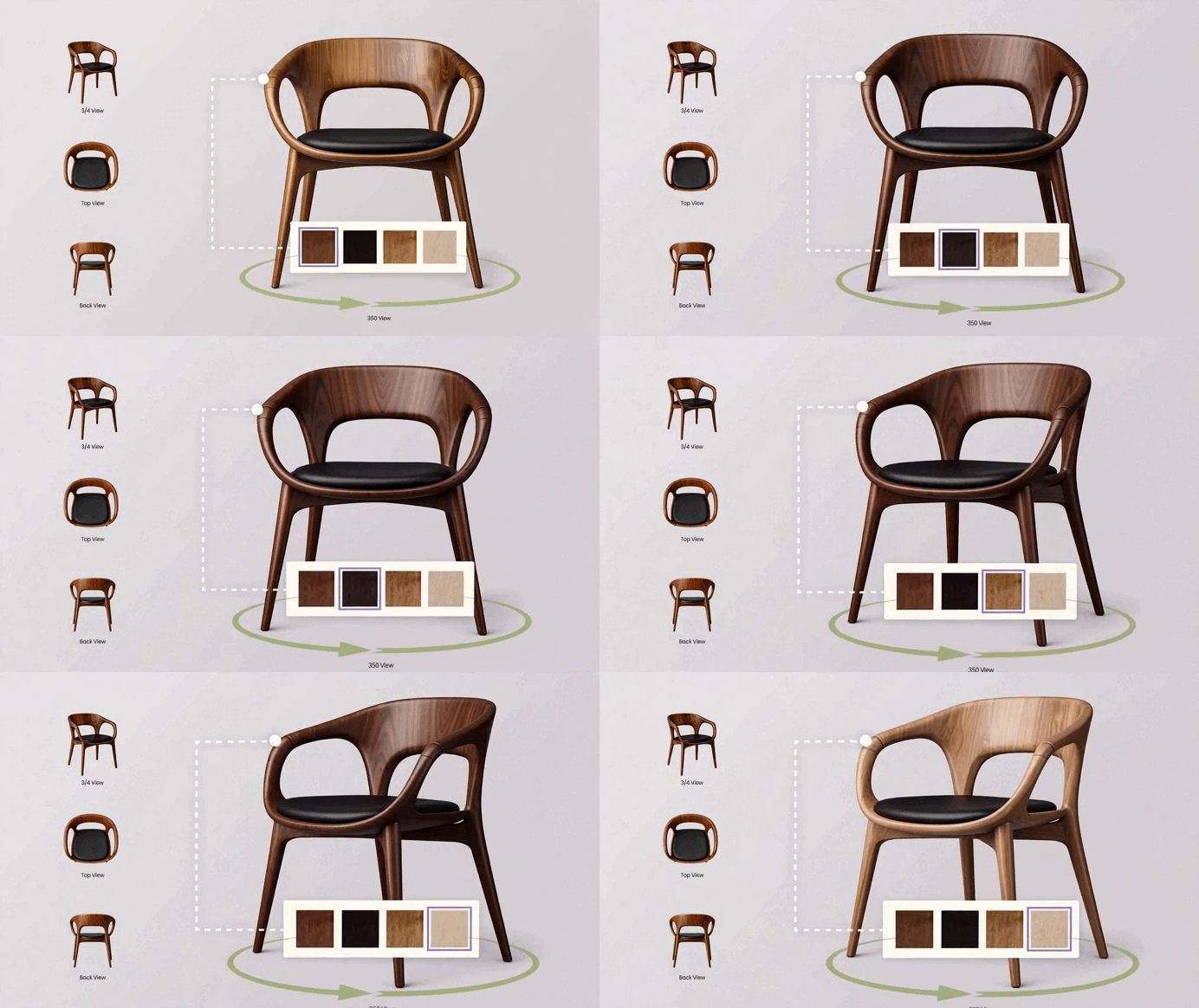
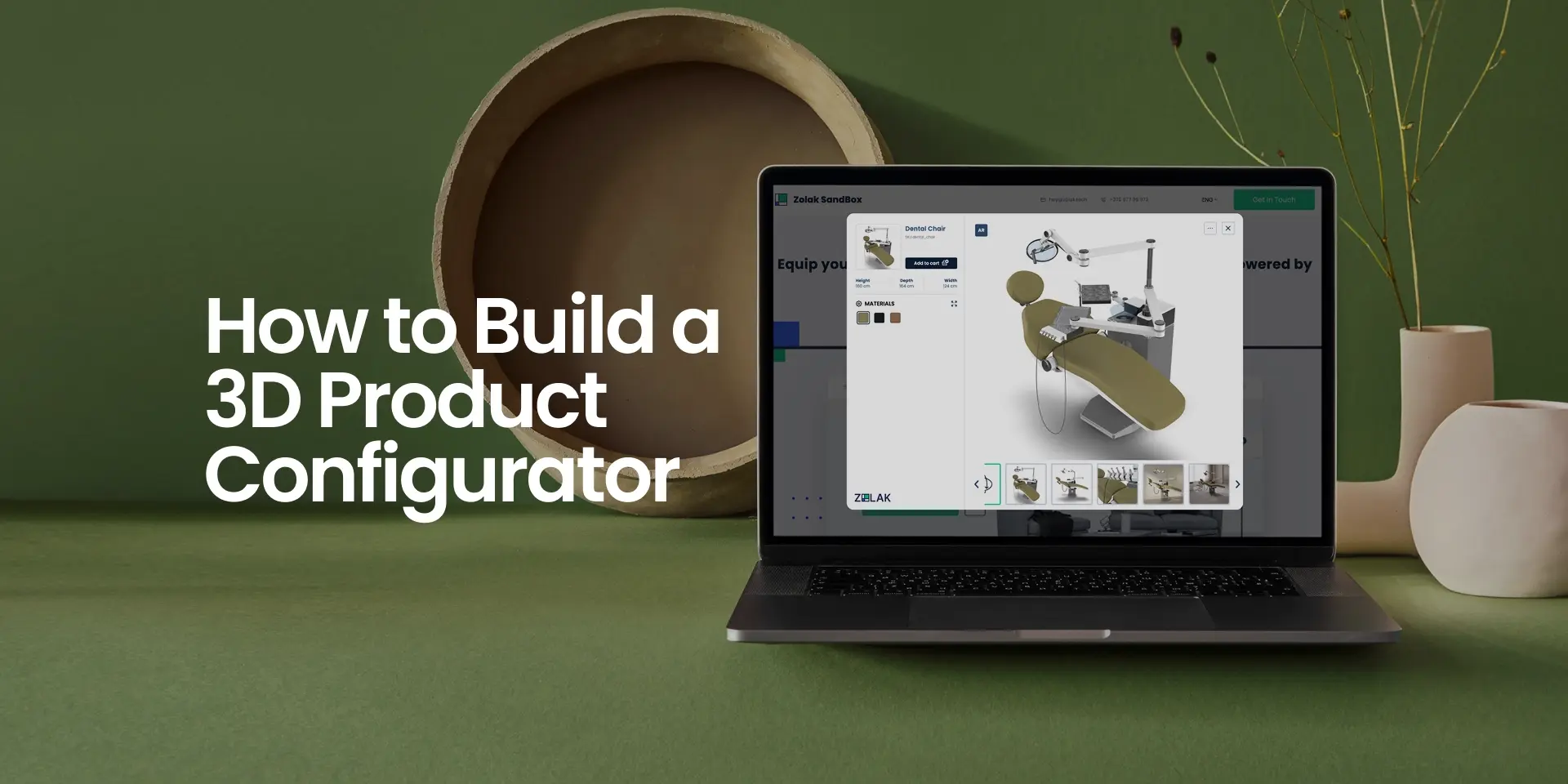
Zolak brings product configuration directly into the shopping experience. Customers select available variants and materials on the product page and see the product update in interactive 3D.

Variants

Show More Variants Without Extra Images

Present different materials, colors, and product variations without creating a separate image set for every possible combination.

Visualization

Help Shoppers Understand Selections

Interactive 3D allows customers to review the product with their selected options instead of relying on swatches or static reference images alone.

Comparison

Compare Materials More Easily

Shoppers can switch between available materials and immediately see how each selection changes the appearance of the product.

Checkout Integration

Connect the Selected Product to Your Cart

Once the shopper has made a selection, the corresponding Product SKU and material mapping can be passed to the storefront and used in the store's existing cart and checkout flow.

FROM SELECTION TO CART

How the 3D Product Configurator Works on Your Product Page

01

Open the Product Page

The shopper arrives on the product detail page.

02

Select a Variant or Material

The shopper selects from the available product options.

03

See the Product Update in Real Time

The 3D model updates to reflect the shopper's selection.

04

Send the Selection to the Storefront

The storefront receives the selected Product SKU and/or material mapping.

05

Add the Product to the Cart

The shopper adds the selected configuration to the shopping cart.

06

Continue to Checkout

The shopper continues through the store's standard checkout process.

INTEGRATION MODES

Choose How the Configurator Fits Your Ecommerce Product Page

Zolak can be integrated into the product page in different ways depending on your existing storefront and the level of control you want to keep.
Zolak Your storefront
3D model
Zolak sidebar
Add to cart
Inline
01

Embedded Product Configurator

Zolak is embedded directly into the product page and can replace the standard product visualization area.

The 3D model and configuration controls appear together in an iframe, with shoppers selecting options in the built-in Zolak sidebar.

The selected Product SKU and materials can then be passed to the storefront through the Cart API.

Zolak 3D configurator
Option Add to cart
Inline
02

Embedded Configurator with Native Storefront Controls

Zolak is embedded directly into the product page in an iframe, while your existing storefront controls remain in place.

Colors, materials, selectors, and Add to Cart stay in your storefront. The Client-Side API updates the displayed Product SKU or material mapping in the 3D model.

 
View in 3D Add to cart
 
Zolak 3D configurator
Popup
03

Popup Configurator

The Zolak configurator can also open from a CTA on the product page.

Depending on the implementation, the popup can display the full configuration experience or a predefined interactive product view.

This option works well when you want to make interactive 3D available without changing the main structure of the product page.


Fully Embedded Experience
Try the Configurator Live overlay-pointer
Technical Fit

How Zolak Connects to Your Catalog and Cart

01

Product Mapping

Match Your Existing Product Setup

Zolak supports two flexible ways to connect product data with the 3D experience:

Variant-based mapping

Each product variant has its own Product SKU and can be linked to its dedicated 3D asset.

Material mapping

One base Product SKU is used, while Zolak applies selected materials directly to the 3D model parts.

This means you don't need to create a separate ecommerce product for every possible material combination.

02

Cart Integration

Send Configurations to Your Cart

When a shopper finishes configuring a product, the storefront receives the selected Product SKU and material mapping.

Your storefront then uses this data to add the selected configuration to the shopping cart through its existing cart flow.

Zolak can also listen to cart events, allowing the storefront to keep the configurator and cart state synchronized when items are added, updated, or removed.

03

Catalog Sync

Keep Product Data Connected

Your ecommerce platform remains the source of truth for all product data.

Zolak seamlessly receives and displays:

Product Name SKU Product Attributes External ID Parent Product Price Discount Price Currency Description Visibility

* Product visibility indicates whether a product or variant is shown or hidden. It does not reflect live inventory or stock levels.

Platform Integration

Integrate Zolak with Your Ecommerce Platform

01 SDK

The Zolak SDK connects to your storefront through a CDN script and loads the configurator in an iframe.

02 APIs

If you want to keep native product selectors or use a custom cart flow, Zolak's Client-Side API and Cart API connect the existing configurator logic with your existing storefront logic.

03 Integration options

Choose how Zolak appears on the product page: the Zolak sidebar, native storefront controls, or a popup. The option you choose determines how much frontend work is needed.


Supported platforms

WooCommerce Shopify Magento PrestaShop Salesforce BigCommerce Wix Shopware

Product Visualization

View the Selected Product in Interactive 3D and AR

The product page carries a live 3D model of the configured item, and opens it in augmented reality on compatible mobile devices.

3D Viewer

Interactive 3D Product View

Help shoppers understand the product before adding it to the cart.

They can rotate and zoom the product, inspect details, and see how different materials and options change its appearance.

Unlike 360° product photos, Zolak uses a real interactive 3D model, giving shoppers more freedom to explore the product instead of moving through a fixed set of images.

3D Product Viewer for Online Store

Augmented Reality

AR on Compatible Mobile Devices

Help shoppers see how the product fits into their space.

On mobile, shoppers can launch AR directly from the product page with a tap. On desktop, they can scan a QR code with their phone to open the experience.

AR allows shoppers to check the product's size and scale, see how it fits into their interior, and evaluate whether its style, color, and overall look work with the surrounding space.

AR Product Visualization for Ecommerce

IMPLEMENTATION

What You Need to Launch a 3D Product Configurator for Ecommerce

01 Planning

Choose Your Products

Decide which products you want shoppers to configure and which options—such as variants, materials, or colors—you want to offer.

02 Preparation

Prepare Product Info

Gather the product information and source materials you already have, such as photos, CAD files, technical drawings, dimensions, and material references.

03 3D Assets

Create Your 3D Models

Prepare 3D models and materials for an interactive product experience across desktop and mobile devices.

Don't have 3D models yet? Zolak can create them for you with our 3D Product Modeling Services.
04 Catalog

Set Up Catalog in CMS

Add your products, variants, materials, and product information to Zolak CMS and connect them to the corresponding 3D models.

05 Integration

Add Zolak to Product Page

Choose how the configurator should appear: directly on the page with Zolak controls, alongside your existing storefront controls, or in a popup.

06 Launch

Connect, Test, and Launch

Connect the configurator to your storefront and cart, test the complete shopping experience, and launch.

use cases

Interactive 3D Product Configurator for Any Online Shop

  • 3D Furniture Configurator
    Customize materials, colors, fabrics, and details in real time with photorealistic 3D, and see the product in your space with AR.
  • Jewelry Configurator
    Personalize rings and jewelry with metals, gemstones, and engravings using precise, macro-level zoom.
  • Shoe Configurator (1)
    Shoe Configurator
    Let buyers design unique shoes by selecting colorways, soles, and materials.
  • Watches Configurator
    Watches Configurator
    Personalize watches by adjusting straps, dials, and finishes.
  • Automotive Configurator
    Automotive Configurator
    Personalize models, trims, wheels, interiors, and tech add-ons.
  • Electronics Product Configurator (1)
    Electronics Product Configurator
    Visualize custom PC builds (GPU, RAM, Case) or appliance finishes.

FAQ

How does a 3D product configurator connect to an ecommerce store?
Zolak can be added to a product page using its JavaScript SDK. The configurator can open in a popup, replace the standard product visualization area, or work as an embedded 3D viewer controlled by the store’s existing interface. The Client-Side API connects product selections and configurator events with the storefront.


Can the selected configuration be synchronized with the shopping cart?
Yes. Zolak’s Cart API and cart events allow the storefront to receive the selected Product SKU and material mapping. The store can use this data to create or update the corresponding cart item. How configuration details are stored in the cart and subsequent order depends on the ecommerce platform and integration setup.


How are SKUs and product variants mapped?
Zolak supports two product data models. Each product variation can have its own unique Product SKU, or one base Product SKU can be combined with a material map that assigns specific material SKUs to individual product parts. This makes it possible to align the configurator with different ecommerce catalog structures.
Can product prices and availability be synchronized?
Yes. The Zolak Public API supports product information including the regular price, discount price, currency, attributes, description and product visibility. This allows the ecommerce system to keep the information shown in Zolak aligned with its catalog. Inventory quantities and the frequency of updates depend on the specific integration.
What product data and 3D assets are required?
The required inputs depend on the existing catalog and 3D assets. Zolak typically needs Product SKUs, variant or material mappings, product dimensions, material references and source materials such as CAD files, technical drawings or photographs from multiple angles. If web-ready 3D models are not available, they can be created and optimized for use in the configurator.
How much custom development is required?
It depends on the integration model. A popup or embedded configurator using Zolak’s built-in controls generally requires less storefront development. An implementation that uses native product selectors, custom cart behavior or a highly customized product page requires additional frontend and ecommerce integration work. Zolak provides the SDK and Client-Side API needed for these scenarios.
Can Zolak work with native storefront controls?
Yes. You can keep your existing product selectors, swatches, and other storefront controls while connecting them to the Zolak configurator through the Client-Side API. When a shopper changes an option, the storefront can update the selected Product SKU or material mapping, and Zolak updates the 3D product accordingly.
Does the configurator support AR?
Yes. Zolak includes AR for compatible mobile devices. Shoppers can launch AR directly from the product page on mobile or scan a QR code when browsing on desktop, then view the product in their own space on supported ARKit and ARCore devices.

Read the Latest on 3D Configurators & Augmented Reality

Keep up with Zolak’s insights on interactive 3D customization, AI-driven personalization, AR experiences, and the cutting-edge trends shaping e-commerce product visualization.

Start Your Interactive Experience

Bring your products to life with the Zolak Configurator — sign up and try it free for one month.