

Zolak Makes It Easy to Sell Configurable Products on Magento
The 3D configurator embeds directly into your product pages and works seamlessly with your existing theme, checkout, and order flow.
Shoppers customize products interactively in real time instead of scrolling long variant lists. You can display every option in a user-friendly, engaging way — showing the full product range without overwhelming customers or complicating your catalog.

Experience Magento Configurator in action
The 3D Product Configurator integrates seamlessly into your website.
Explore two integration scenarios in action below
One-click pop-up launch
Open the configurator in a focused pop-up from the product page. Try it below

Adler Armchair - 3D Interactive Preview
Embedded directly into your product page with pricing, variants and product details synced in real time.
- Real-time customization
- Full 3D/360° interactive view
- Fabric & wood options
Fully embedded experience
The configurator is fully integrated into the product page layout.
Explore it below
Explore it below

You start by getting access to your Zolak CMS account, where you host and manage your 3D assets — high-quality digital twins of your products.
Once your catalog is digitized, the 3D configurator is seamlessly integrated into your Magento product pages using ready-to-use scripts. No complex setup, no custom development required.
Depending on your goals and storefront setup, we offer multiple integration options: from quick plug-and-play placement to fully customized experiences.

Why Zolak Works for Magento Merchants

Accurate Real-Time Visualization
Shoppers see an exact visual representation of every possible option in 3D, reducing uncertainty before purchase.

Seamless Magento Checkout Integration
Works directly with Magento native cart and checkout, becoming a natural part of the customer journey.

Fast, Reliable Performance
Optimized for all devices, automatically adjusting 3D rendering for smooth performance without affecting page speed or Core Web Vitals.
Works with Your Existing Setup
Zolak integrates with your current products, variants, pricing logic, and inventory structure.

Built for Mobile Shoppers
3D and AR run directly in the browser on desktop and mobile devices, with no app installation.
-1%201.png?width=44&height=44&name=Group%201544%20(3)-1%201.png)
Compatible with All Magento Versions
Supports Magento 1.x, Magento 2.x, and custom or headless setups.
3D media makes for a much more interactive shopping experience. Customers can examine our products from every angle, including AR, which helps them get a better sense of quality, size, and other details that matter.
Rebecca Minkoff Co-founder & CEO, Uri Minkoff

-1.png?width=110&height=110&name=Ellipse%2086%20(3)-1.png)
Using a different platform?
Find your integration here:


.png?width=220&height=90&name=salesforce-commerce-cloud-logo%20(1).png)

Missing your CMS?Let’s talk
Discover Zolak Visual Commerce Capabilities
Zolak Showroom
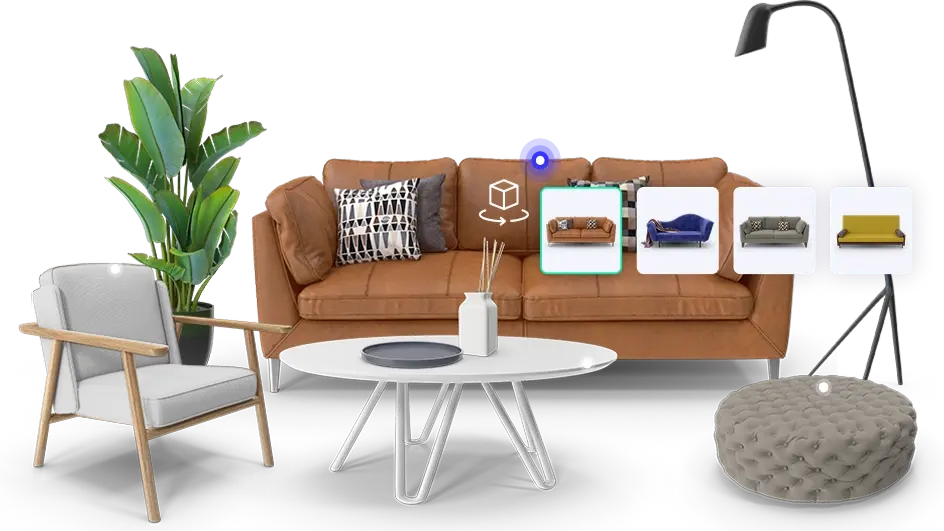
Offer immersive try-before-you-buy experiences to build consumer confidence.
.webp)
Zolak Studio
Generate thousands of gorgeous product images that shows every customization and angle.