
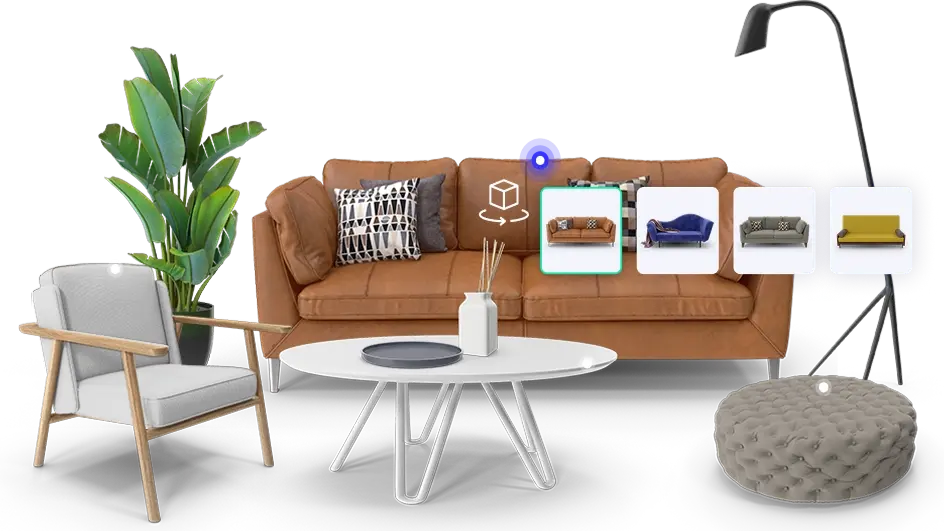
Zolak Showroom
Offer immersive try-before-you-buy experiences to build consumer confidence.
BIGCOMMERCE + ZOLAK
Shoppers customize products interactively in real time instead of scrolling long variant lists. You can display every option in a user-friendly, engaging way — showing the full product range without overwhelming customers or complicating your catalog.
WHAT YOU GAIN
Let shoppers switch between colors, materials, and finishes and see the product update with each selection.
Shoppers can rotate and zoom their chosen configuration to review its appearance and details before buying.
Present visual combinations without preparing a new photo set for every option.
With cart integration in place, shoppers can add the selected variation to their BigCommerce cart and continue to checkout.
features
Explore the 3D configurator in a pop-up or embedded on a product page. These examples show the visual experience; cart integration is set up separately for each store.
Integration
First, set up your 3D products and available variations in Zolak Platform. Add the configurator to a BigCommerce product page with the supplied script.
Connecting selected variations to the BigCommerce cart requires backend integration on the merchant’s side under Zolak’s technical guidelines. Product data and identifiers must be mapped in Zolak Platform, and each variation must have a price in the Admin Panel.
The configurator can open in a pop-up or appear directly on the product page. Cart connection is a separate integration step.
how to start
Access your Zolak CMS account. Its intuitive interface makes it easy to manage 3D models, materials, and all visual assets in one place.
Add 3D models, materials, product data, and a price for each variation in Zolak Platform. If you do not have 3D models, Zolak can create them from your product materials.
Add the supplied script to your BigCommerce product page. Map product variations to the corresponding data and identifiers in Zolak Platform. Cart integration requires backend work on your side.
Test the 3D experience, variation prices, and add-to-cart behavior before launch. Manage 3D assets and product updates in Zolak Platform as your catalog changes.
Shoppers can see available colors, materials, and finishes on the product in 3D as they make selections.
With backend cart integration in place, selected product variations can be added to the BigCommerce cart for checkout on your store.
The 3D component can load asynchronously, with assets optimized for web use. Actual page performance depends on your storefront implementation.
Map the options shown in Zolak to the products and variations you manage for your store. Your catalog and cart setup determine the integration work needed.
3D and AR run directly in the browser on desktop and mobile devices, with no app installation.
Show available material and finish combinations in 3D without creating a separate photo set for each one. BigCommerce variant and inventory limits still apply to sellable products.
3D media makes for a much more interactive shopping experience. Customers can examine our products from every angle, including AR, which helps them get a better sense of quality, size, and other details that matter.
Rebecca Minkoff Co-founder & CEO, Uri Minkoff
Zolak Platform
Offer immersive try-before-you-buy experiences to build consumer confidence.
Generate product images that show different materials, finishes, and angles.
Bring your products to life with the Zolak Configurator — sign up and try it free for one month.