

Skip to content

Trusted by Leading Home Furnishings Brands

Live demo

See the Virtual Furniture Showroom in Action

Try Showroom Live overlay-pointer
Shopper Journey

From Styled Room to Shopping Cart: How Shoppers Use the Showroom

In a physical showroom, customers rarely buy a sofa without seeing the table, rug, and lamp next to it. A virtual furniture showroom brings that moment online. Every product in the room comes from your catalog, so inspiration leads straight to items shoppers can buy.

yourstore.com/showroom
Choose a Room Furnish It from Your Catalog Customize Each Product Save the Look Continue to Purchase
01

Choose a Room

Pick a 3D living room, bedroom, dining area, or outdoor space designed to match your brand’s style.

02

Furnish It from Your Catalog

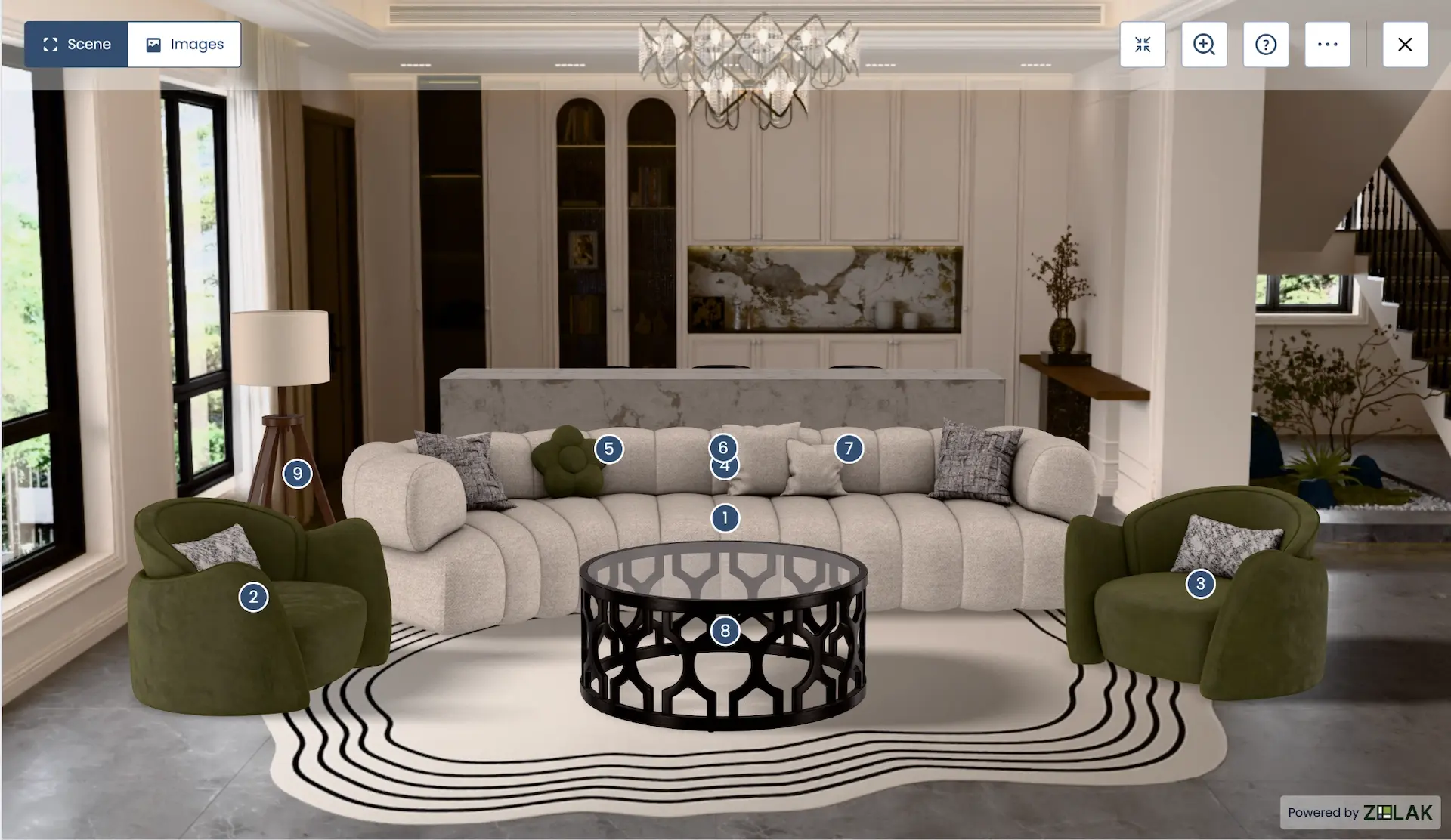
Place sofas, tables, beds, and storage, add lighting, rugs, and decor, and replace or remove any piece as the room takes shape.

03

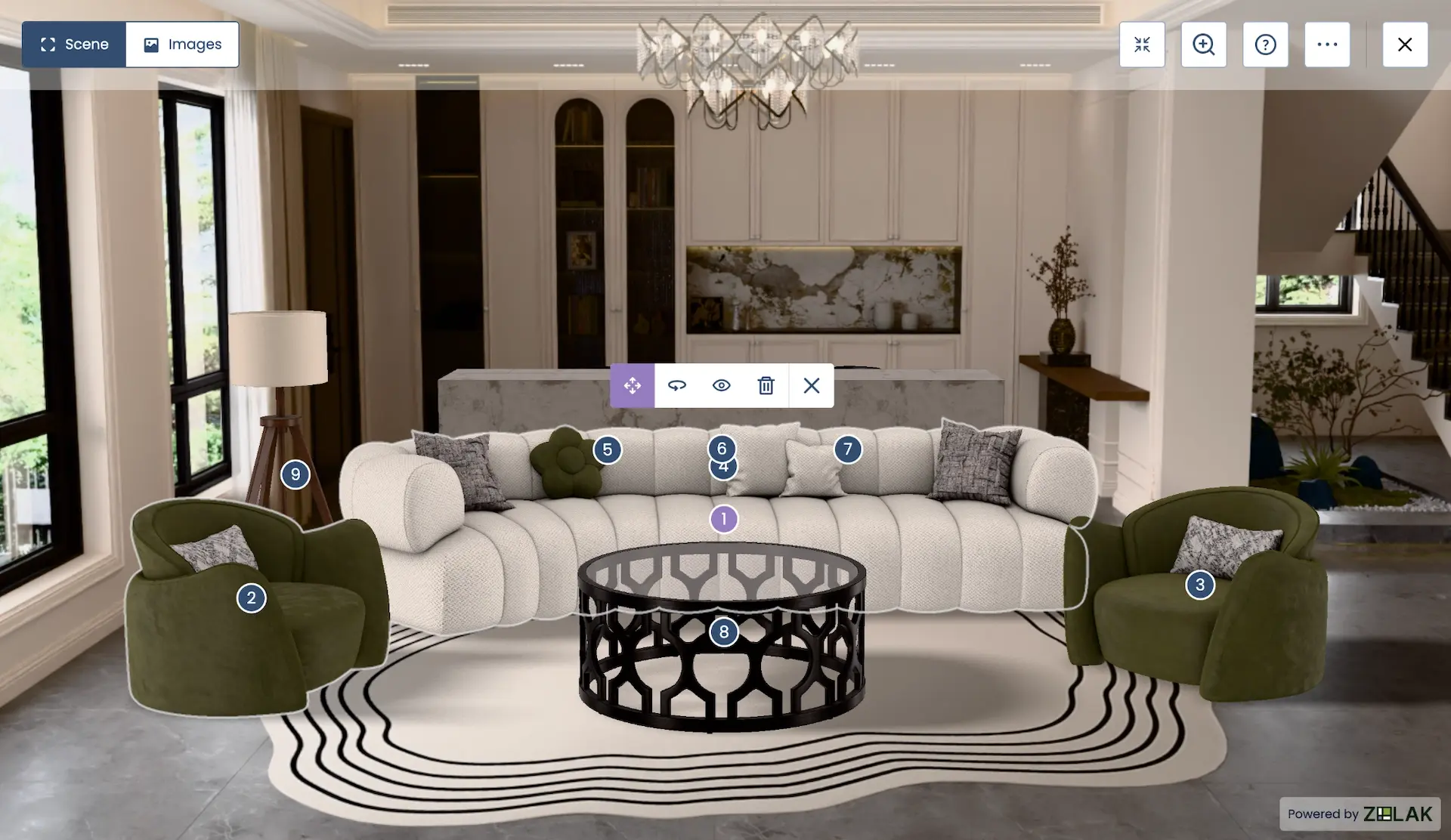
Customize Right in the Room

Change fabrics, colors, finishes, and other product options without leaving the scene, and see each choice next to the rest of the furniture.

04

Save the Look

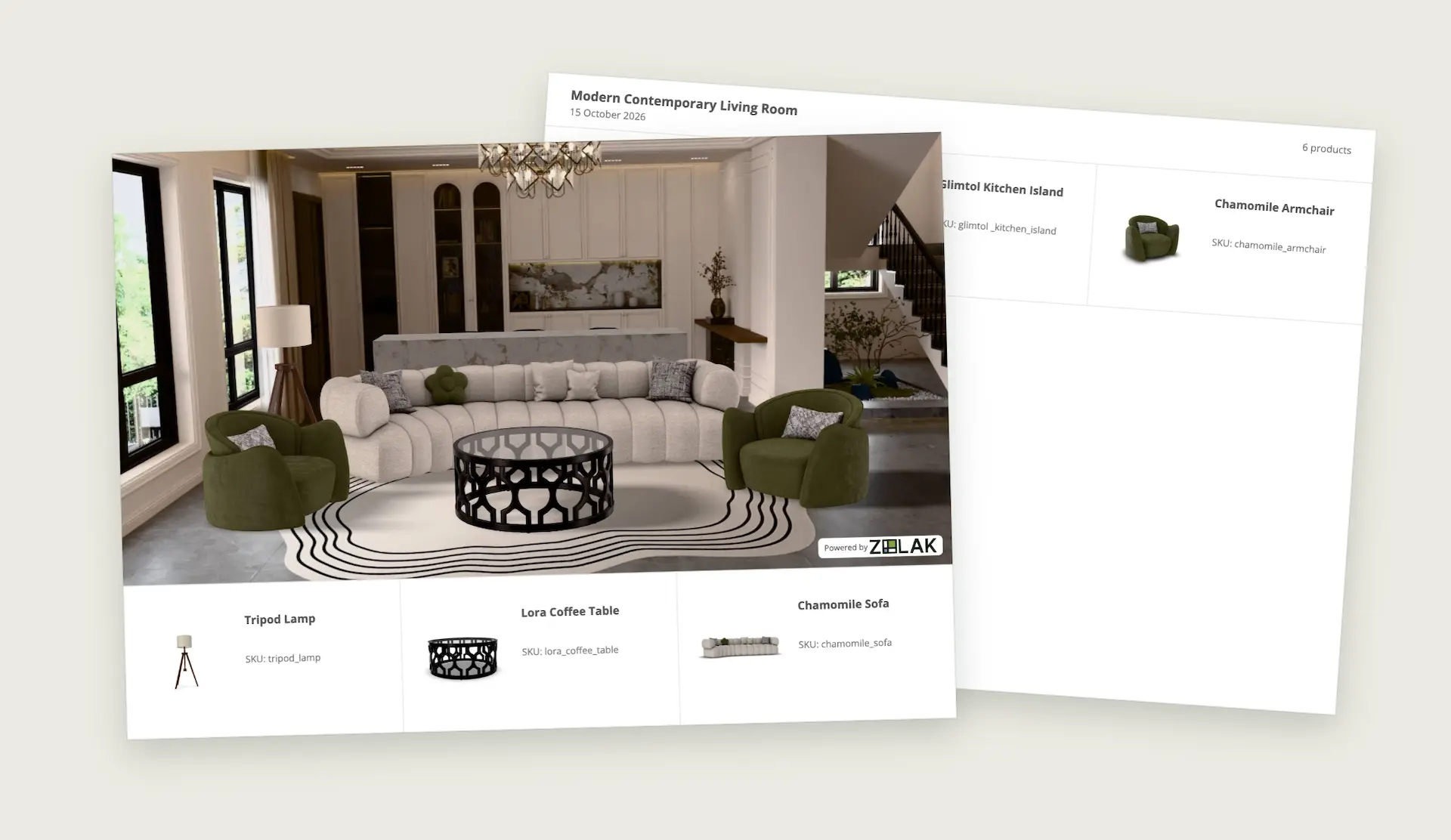
Keep the result as a PDF with the scene image and a full SKU and price breakdown.

05

Continue to Purchase

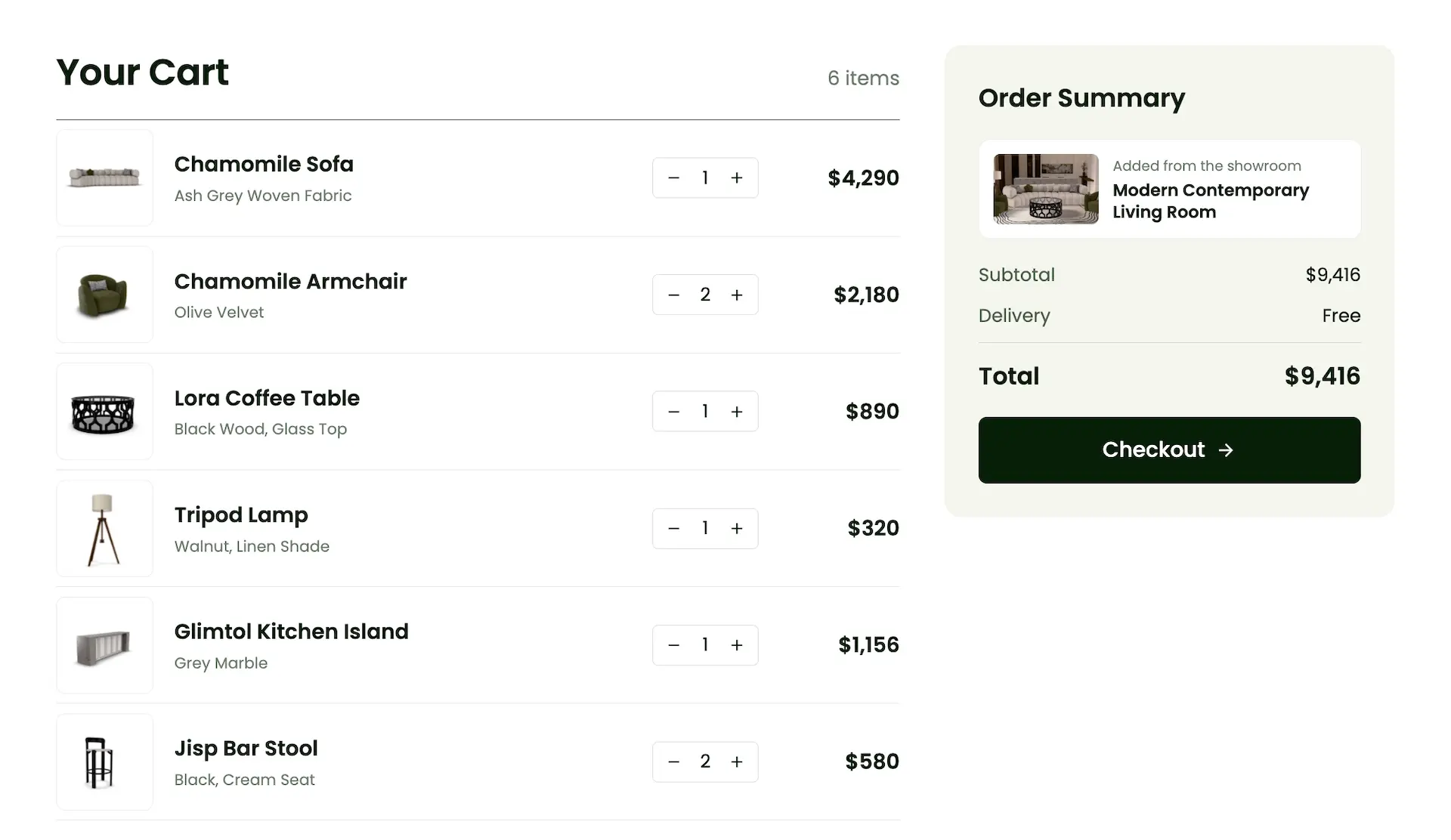
Open the product page or move the selected items forward in your store's buying flow.

Merchandising

Merchandise Complete Rooms, Not Isolated Product Pages

A product page is built to sell one item. Furniture is bought as part of a room. The showroom gives your merchandising team a place to present products the way customers actually use them: together, at real scale, in a coordinated style.
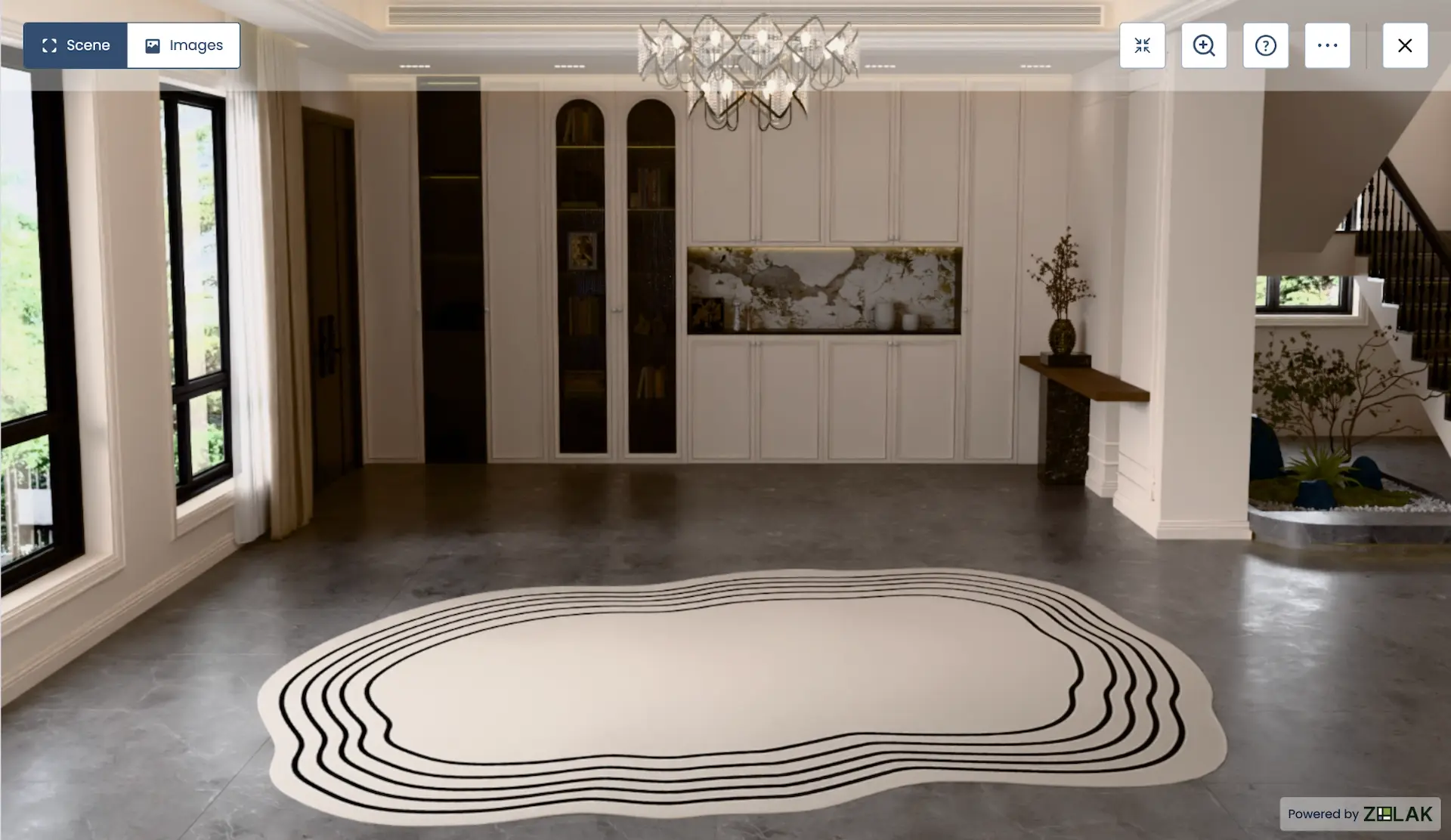
Styled 3D room built from a furniture catalog

Collection Launches

Present a new collection as one finished interior. Shoppers see how the sofa, armchair, side tables, and storage pieces relate before they open a single PDP.

Ready-Made Room Sets

Build living room, bedroom, dining room, and outdoor sets that customers can adjust instead of starting from an empty page. Each piece in the set stays a real, purchasable SKU.

Hero Product with Complementary Items

Place a bestselling sofa or dining table at the center and surround it with the rugs, lighting, and accessories that complete it. Cross-selling becomes part of the scene rather than a carousel under the product.

Seasonal Campaigns and Shop the Look

Turn a spring outdoor edit or a holiday dining setup into an interactive campaign. Customers can buy the full look or keep only the pieces they like.

Configure Furniture Inside the Room

A sofa fabric that looks right on a white background can look wrong next to an oak dining table. The showroom's built-in 3D furniture configurator lets shoppers test each option right where the product stands, alongside the rest of the room. Depending on how each product is set up, customers can change:
  • upholstery fabrics and leathers;
  • wood, metal, and stone finishes;
  • colors;
  • other options available for the product.
User Interior Visualization

Let Shoppers Try Your Furniture in Their Own Room

Styled rooms are built for inspiration. When a customer is closer to buying, the next question is whether the piece fits their space. With the User Interior Visualization add-on, shoppers upload a photo of their room, remove the furniture already there, and place products from your catalog at true scale.

Upload a room photo Remove existing furniture Place products at true scale
Explore the Room Furniture Planner
Koala
Client exampleFurniture retailAustralia

See It Live: Koala Living Room Designer

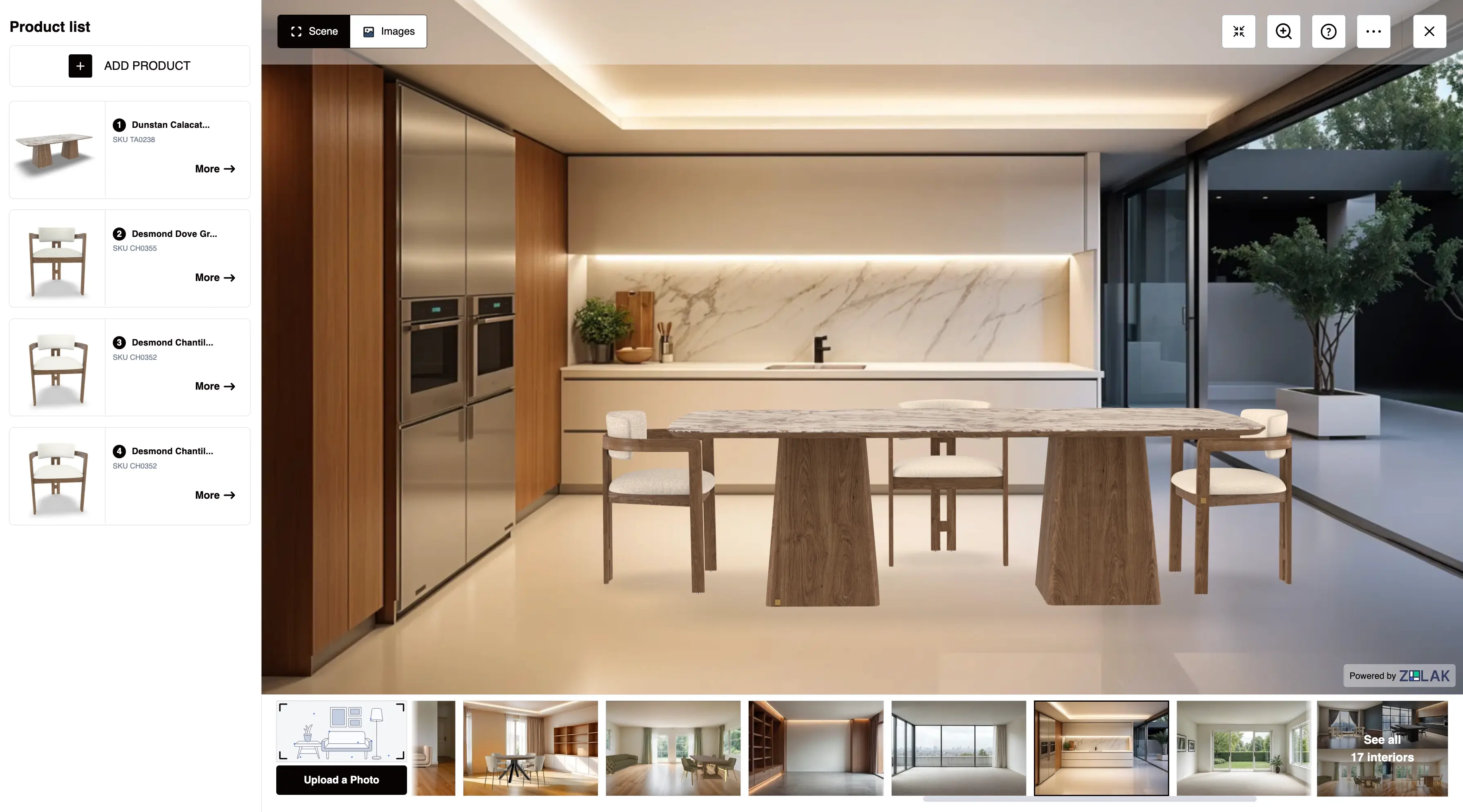
Koala Living, an Australian furniture retailer with 23 galleries, runs its Room Designer, a virtual furniture showroom built on Zolak. Customers pick an interior or snap their own room, fill it with Koala furniture, and see how everything comes together before they buy.

koala.com · Room Designer
Koala Living Room Designer built on Zolak: product list with SKUs, styled dining scene and interior picker with photo upload
CATALOG & STORE INTEGRATION

Built on Your Catalog, Connected to Your Store

The showroom is not a separate visual project that goes out of date after the next collection drop. Products, SKUs, variants, materials, and prices are managed in Zolak CMS, so your team can add new pieces, retire old ones, and build new rooms from the same asset library.

ZolakYour storefront
Open showroom
Full-screen showroom
Popup
01

Full-Screen Popup

Launch the showroom as a full-screen popup. Shoppers stay on your site the whole time.

Zolak showroom
Inline
02

Embedded Block

Embed it as a block on a category page, collection page, or campaign landing page.

Every item in the room links to the matching product in your store, so a finished look turns into a shopping list rather than a screenshot. Deeper integration through the API can sync the selection with your cart.

Supported Platforms

Works with Your Ecommerce Platform

Zolak connects to the ecommerce platform you already use. It handles the visual experience and configuration logic, while your store remains the source of truth for product data, pricing, and orders. For advanced setups, API integrations can pass selected products straight to checkout and keep showroom options in line with real-time stock.


Shopify WooCommerce Magento BigCommerce Salesforce Commerce Cloud Shopware PrestaShop Wix

Getting Started

What You Need to Launch a Virtual Furniture Showroom

The showroom runs on accurate 3D versions of your products. You can start from what you already have or have Zolak create the assets.
Path AYou Have 3D Models

If you already have 3D models, our team reviews them and prepares them for real-time use on the web. Some files may need adjustments to geometry, materials, or configuration before launch.

Path BYou Don't Have 3D Models

If you don't, our 3D furniture modeling team builds digital twins of your products from dimensions, photos, technical drawings or CAD files, and material references, covering every fabric, finish, and size you sell.

Five Steps to Launch
1

Product Assets

3D models and PBR materials are created or prepared.

2

Catalog Setup

Products, SKUs, variants, and options are configured in Zolak CMS.

3

Room Scenes

Interiors are designed around your collections and brand style.

4

Store Integration

The showroom is connected to your ecommerce platform as a popup or embedded block.

5

QA and Go-Live

Scale, materials, product links, and performance are checked before go-live.

FAQ

How is a virtual furniture showroom different from a room planner?
A room planner starts from the customer's own space and helps them check fit. A virtual furniture showroom starts from rooms you design, so you control how collections and sets are presented. Zolak supports both: pre-designed showroom rooms, plus an add-on that lets shoppers place your products into a photo of their own room.
How is it different from a 360-degree virtual tour?
A 360 tour lets people look around a fixed space, usually a photographed physical store. In a virtual furniture showroom, shoppers interact with the products themselves: they replace items, change finishes, and move from the room to the product they want to buy.
Can the showroom use products from our real catalog?
Yes. Every item in the room is a 3D version of a product you sell, with its SKU, variants, and price managed in Zolak CMS. When you update the catalog, the same assets can be reused in new rooms and campaigns.
Can shoppers configure furniture inside the room?
Yes, where the product supports it. Customers can change fabrics, finishes, colors, sizes, or modules, and only valid combinations based on your product rules are shown.
Do we need 3D models to get started?
No. If you have existing models, Zolak reviews and prepares them for web use. If not, Zolak creates them from dimensions, product photos, technical drawings, and material references.
How does the showroom connect to our ecommerce website?
It runs on your site as a popup or embedded block and connects to platforms such as Shopify, Magento, WooCommerce, BigCommerce, and Salesforce Commerce Cloud. Products in the room lead to your product pages, and deeper API integration can sync selections with the cart.

Show Shoppers How Your Furniture Works Together

See how shoppers furnish a room, customize products, and move from inspiration to your product pages. In the demo, we'll also talk through your catalog, your ecommerce platform, and what you'd need to get started.