
-1.svg)
In 2026, online shopping without AR product visualization is like e-commerce without product photos decade ago — unthinkable. This technology brings products off the screen into a shopper’s world. Customers can “try before they buy” by checking scale, style, and fit directly in their own space. The payoff? Conversions up 90%, returns down by 40%, and customer loyalty strengthens well beyond checkout.
During the COVID-19 pandemic, AR shifted from a novelty to a must-have. Today, 71% of shoppers say they’d shop more often if AR were available. Retailers that delay adoption, risk falling behind competitors who already offer it.
This guide breaks down everything you need to know about augmented reality for product visualization: how it works, where it delivers the most value, ROI calculations, deployment options, and emerging trends.

Quick TL;DR: What This Guide Covers
- Why augmented reality in product visualization is a sales driver: higher conversions, fewer returns, stronger customer engagement.
- Where AR in product visualization works best: fashion, furniture, automotive, consumer electronics.
- How to measure ROI of AR: simple step-by-step calculation.
- SaaS vs. in-house AR applications: choose the right AR integration approach for your business.
- Future trends: AR glasses, generative AI, spatial computing.
- Zolak’s solution: scalable and affordable SaaS AR product visualization for e-commerce.
AR Product Visualization Stats: Executive Takeaway
The growth of augmented reality in product visualization is backed by compelling data:
- Market growth. The global AR/VR market is projected to reach $255 billion by 2027, driven by adoption across e-commerce sites.
- Consumer demand. 92% of Gen Z want AR, 61% prefer retailers with AR, 47% would pay extra to visualize products in AR.
- AR adoption. 32% of consumers already use AR while shopping, 66% want AR to assist with purchase decisions.
- Sales impact. AR users are 90% more likely to convert, AR-enabled product pages drive 21% higher revenue per visit and 13% higher average order value (AOV).
- Returns. 64% of online shoppers say they would be less likely to return a product if they could virtually experience it first.
What is AR product visualization?
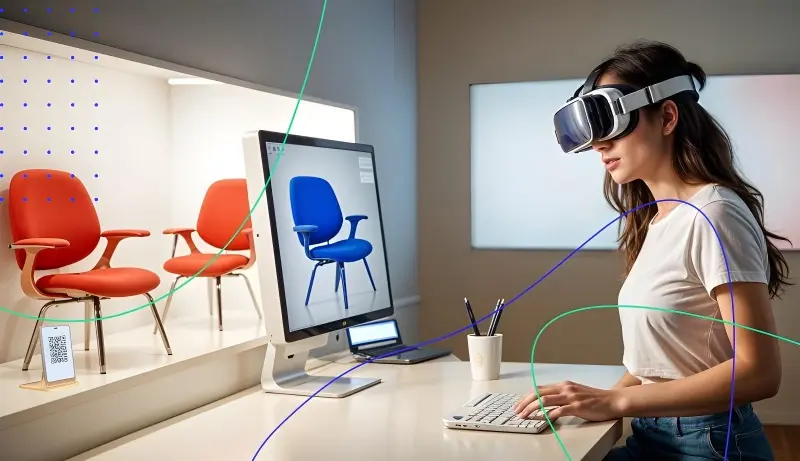
AR product visualization lets shoppers view and interact with lifelike 3D product models in their own environment using a smartphone, tablet, or AR glasses. They can place, try on, and customize items in real time, bridging the gap between browsing online and shopping in-store.

Web AR vs. App AR vs. Native AR SDKs
Choosing how to deploy AR experiences depends on three trade-offs: speed to market, depth of experience, and long-term control. Here’s a practical breakdown.
1. Web AR
- What it is: Accessed directly in a mobile browser by clicking a link, scanning a QR code, or tapping a “View in AR" button.
- Pros: No app download, low friction for first-time users, fast and cost-effective integration.
- Cons: Performance varies by browser/device, fewer advanced features compared to apps.
- Best for: Quick, high-reach AR experiences: product launches, campaigns, or first steps into AR.
2. App AR
- What it is: A dedicated mobile app (App Store/Google Play) built for immersive experiences and feature-rich AR shopping.
- Pros: Higher stability, better graphics, full access to device sensors, supports persistent AR scenes.
- Cons: Requires app download, high development costs ($50k–$300k+), longer time-to-market (6-12 months) compared to Web AR.
- Best for: Brands investing in repeat engagement and long-term customer retention.
3. Native AR SDKs
- What it is: Apple (ARKit) and Google (ARCore) frameworks for building high-performance AR apps.
- Pros: Full control over performance, features, and UI. Best-in-class realism with LiDAR and depth mapping.
- Cons: High development cost and complexity, requires specialized dev teams, platform-dependent.
- Best for: Enterprise-grade AR when performance, realism, and customization outweigh time-to-market.
Pro tip: Choose your approach based on your business goals: test Web AR first, then scale to App AR or SDKs if you need deeper engagement.
Difference between AR, VR, MR, XR, and Spatial Computing
| Term | What it Means | Typical Use in E-commerce |
| AR (Augmented Reality) | Overlays digital objects onto the real world via a camera or AR devices. | Product visualization, virtual try-ons, interactive campaigns (e.g., IKEA Place). |
| VR (Virtual Reality) | Fully immersive virtual environment, usually via headset. | Virtual showrooms, 360° product demos, brand storytelling (e.g., Audi VR showroom). |
| MR (Mixed Reality) | Physical and digital worlds interact in real time. | Context-aware shopping, collaborative experiences, pop-up activations (e.g., Lowe’s Holoroom) |
| XR (Extended Reality) | Umbrella term for AR + VR + MR. | Scenario-based demos, gamified experiences, co-shopping (e.g., Gucci XR fashion collabs). |
| Spatial Computing | Integrates immersive tech with AI, sensors, and real-world interaction. | Smart retail spaces, predictive shopping, multi-user collaboration (e.g. Apple Vision Pro). |

Glossary of AR Terms:
- ARKit/ARCore – Apple & Google SDKs for building AR apps.
- glTF – A fast-loading 3D file format for AR models.
- USDZ – Apple’s 3D format for AR on iOS.
- Photogrammetry – The process of creating a 3D model from a series of 2D photos.
- PBR (Physically Based Rendering) – Realistic lighting & materials in 3D models.
- Normal Maps – Adds surface details like bumps without slowing down the model.
How AR Product Visualization Works
AR for ecommerce product visualization relies on 3D models, AR viewers, and device cameras. The workflow includes:
- 3D modeling. Products are recreated as lifelike 3D models with accurate size, textures, and shadows.
- AR viewer integration. Models are imported into WebAR or native AR frameworks for real-time rendering.
- User activation. Shoppers tap “View in AR” or scan a QR code to start the experience.
- Environment mapping. Device cameras detect surfaces like floors or tables to anchor products naturally.
- User interaction. Customers can rotate, move, zoom in/out, and customize colors or materials, and explore products in 360°.

Where AR Brings the Biggest Value Across Industries
AR for product visualization is most powerful where size, fit, or customization matters. Here's how it drives e-commerce KPIs across key sectors.
Virtual Try-On (Fashion)
- What it is: Shoppers can see how clothes, shoes, and accessories look on them in real time.
- Why it works: Fashion is personal. AR in product visualization lets shoppers try on styles in real time, reducing the risk of buying the wrong item and making the experience interactive and fun.
- KPI: Farfetch reported +47% more visits, +22% add to bag, and +81% more add-to-wishlist actions for watches using AR try-on versus similar models without AR.

Furniture and Home Décor Placement
- What it is: Customers can virtually place furniture and décor in their own rooms, rotate, zoom, and swap colors/materials instantly.
- Why it works: For furniture, scale and interior harmony matter. AR lets customers check proportions and style before buying, preventing costly returns and increasing confidence.
- KPI: Wayfair’s “View in Room” feature achieved +92% conversions, -43% returns, and +28% average order value (AOV).

Automotive & Industrial Configuration
- What it is: Buyers can virtually place a car in their driveway or machinery on-site, explore interiors and exteriors, and configure options like colors, trims, or add-ons.
- Why it works: Vehicles and industrial equipment are complex, customizable, and high-ticket purchases. AR lets customers interact with every detail, from paint finishes to dashboard features, making configurations tangible and reducing long decision cycles.
- KPI: Toyota, Audi, and Porsche reported that users who engaged with AR features gained a better understanding of available options, with ~20-25% proceeding to a test drive or dealer inquiry.

Consumer Electronics
- What it is: Shoppers can preview TVs, speakers, or smart devices in their own setup, test scale against existing furniture, and simulate wall-mounts or shelf placement.
- Why it works: Electronics purchases often fail not on looks, but on usability and ecosystem fit. AR shows if a device fits a wall, blends into a setup, or works with installation constraints like cabling and line of sight—cutting hesitation and reducing “wrong size/wrong fit” complaints.
- KPI: LG and Samsung saw higher add-to-cart rates, fewer returns, and reduced support requests after introducing AR try-ons.

AR Product Visualization Case Studies & Measurable Results
To showcase the real-world impact of AR in product visualization, here are three leading brands that adopted AR early (KPIs are approximate and drawn from publicly available data).
IKEA Place
- Industry: Furniture retail.
- Problem: Shoppers struggled to judge size, fit, and color online.
- AR solution: AR app to place true-to-scale furniture in real rooms, rotate, and view from any angle.
- Impact: +189% conversions, -20% returns, 3.5x longer sessions, +35% AOV.
L’Oréal ModiFace
- Industry: Beauty retail.
- Problem: Shoppers hesitated over shades matching their skin tone.
- AR solution: Virtual try-on for makeup, hair colors, and skin analysis via app, web, and smart mirrors.
- Impact: +72% conversions, -31% returns, +117% time on page, 2.5x engagement.
Nike Fit
- Industry: Fashion retail.
- Problem: High return rates due to shoe sizing uncertainty.
- AR solution: Mobile scanning tool that creates a precise 3D model of a customer's feet.
- Impact: -20% returns, +15% online sales, improved long-term satisfaction.
ROI: How AR Product Visualization Moves Revenue
Augmented Reality in product visualization is a powerful marketing tool. It drives measurable revenue by removing friction at the most critical points in the e-commerce funnel.
How AR Boosts Revenue
- Higher сonversions. When shoppers can preview a chair in their living room or a sneaker on their foot, they’re more likely to click “buy.”
- Fewer returns. Confident buyers don’t second-guess their choices, cutting return rates by double digits.
- Bigger baskets. With certainty about products, buyers select premium SKUs and add complementary items.
- New insights and data. AR gives you a front-row seat to how customers interact with your products. See which features they love and use insights for smarter marketing.
Calculating ROI: A Step-by-Step Example
1. Set the Scene
Imagine a product page with 100,000 monthly views. Before AR, only 2% of visitors convert, and 15% of purchases are returned. The average order value is $200. Now, suppose 10% of visitors use AR to visualize the product, increasing their conversion rate to 3.5% and reducing returns to 10%. The AR setup costs $11,000 upfront ($10,000 setup + $1,000 monthly).
2. Measure Revenue Uplift
- AR sales: 100,000 × 10% × 3.5% = 350 orders
- Non-AR sales: 100,000 × 90% × 2% = 1,800 orders
- Total with AR: 2,150 orders
- Revenue uplift = (2,150 − 2,000) × $200 = $30,000
3. Calculate Savings from Returns
- Return savings = AR sales × AOV × (Return rate before AR − Return rate with AR)
- Savings = 350 × $200 × (15% − 10%) = $3,500
4. Net Profit from AR
- Net Profit = $30,000 + $3,500 − $11,000 = $22,500
5. ROI in Perspective
- ROI = (Net Profit ÷ AR Investment) × 100%
- ROI = 22,500 ÷ 11,000 × 100% ≈ 204.5%
Key insight: Every $1 invested in AR product visualization generates $2.04 in profit. That’s with only 10% of visitors using it. As adoption grows to 20-30% (realistic with web based AR), ROI can realistically reach 300–500%, making it one of the most impactful investments in e-commerce today.
Recommendations & Common Pitfalls to Avoid
- Invest in high-quality 3D models. Low-quality assets with poor PBR or inaccurate dimensions frustrate customers and kill your ROI.
- Focus on high-value products. Don't deploy AR across your entire catalog at once—start with items where size, fit, or aesthetics matter most.
- Ensure intuitive UX. Place the AR button below product images, keep load times under 2 seconds, and make interactions as simple as tapping “zoom.”
- Promote AR. Use “View in Your Room” or “Try It On” callouts, include QR codes in-store/on packaging, mention AR in ads, emails, and social media campaigns.
AR Product Visualization Measurement: KPIs, A/B Test Templates & Analytics Setup
To fully understand the impact of AR in product visualization, measurement is key. With the right KPIs, structured A/B tests, and analytics setup, you can quantify AR’s contribution to conversions, engagement, and ROI.
KPIs to Track
| KPI | Definition | Formula | Where to find it |
| View-to-AR | How many shoppers click the AR button | Users who clicked AR ÷ Users who viewed product page | GA4: create an “AR button click” event |
| AR-to-Add-to-Cart | How AR drives cart adds | Add-to-Cart events after AR ÷ Total AR sessions | GA4: segment users who interacted with AR |
| AR-to-Purchase | How AR drives purchases | Purchase events after AR ÷ Total AR sessions | GA4: segment purchases by AR interaction |
| Return Rate Difference | Whether AR reduces returns | Returns for AR products ÷ Purchases of AR products | E-commerce backend + analytics data |
Pro Tip: Track AR-specific interactions with a custom dimension (e.g., ar_interaction = true/false) to compare AR vs. non-AR users accurately.
Sample A/B test design & statistical considerations
A well-structured A/B test can provide clear, actionable insights into AR in product visualization. Follow this approach:
Hypothesis:
Adding a “View in AR” button will increase conversion and add-to-cart rates.
Test Groups:
- Control (A): Standard product page without AR.
- Treatment (B): Same page with AR button prominently displayed.
What to Track:
- Conversion Rate (purchases completed)
- Add-to-Cart Rate
- AR session duration
- User interactions
Test Setup Tips:
- Run long enough. 2-4 weeks is usually enough to reach statistical significance. Use an A/B test calculator to check sample size.
- Track AR interactions. In GA4, create custom events like ar_view_open, ar_add_to_cart, and ar_purchase.
- Use a short attribution window. Most AR-driven purchases happen within 24h, but keep a 30-day window for broader attribution.
- Segment by product/category. Not all SKUs benefit equally—measure performance by category, then scale AR where it drives the most value.
Next steps: Once the test is complete, identify which products and categories gain the most from AR, then scale strategically across your catalog to maximize ROI.
 Source: Ditar
AR Product Visualization Vendors & Tech Stack: SaaS vs In-House Options
Choosing the right AR technology is crucial for retailers. The main options are SaaS WebAR platforms or custom in-house development. Each suits different priorities—speed, cost, scalability, and control. Below is a practical playbook to guide your decision.
SaaS WebAR platforms
What it is:
Ready-made AR solutions that run directly in a shopper’s browser. You pay a subscription fee and avoid heavy technical overhead.
When to choose:
- You want fast time-to-market (days/weeks, not months).
- Your team has limited AR expertise.
- You prefer predictable subscription pricing over high upfront investment.
- You need to cover a broad catalog with minimal lift.
Key criteria for evaluating vendors:
- WebAR support: Works instantly in browsers (no app downloads).
- Pricing model: Transparent per-product/per-view or subscription tiers.
- Integration speed: Widgets/SDKs and CMS plugins for Shopify, Magento, WooCommerce.
- Catalog scaling: Bulk 3D upload, automated optimization, centralized asset management.
- Maintenance & SLAs: Vendor handles device compatibility, updates, and bug fixes.
In-House + Headless AR
What it is:
Fully custom AR experiences built with SDKs (ARKit, ARCore) and delivered via APIs in a headless architecture.
When to choose:
- You need advanced features like LiDAR scanning, occlusion, or product configurators.
- You want deep backend integration with CMS, PIM, or ERP systems.
- You plan to run AR at enterprise scale and want long-term control over the stack.
Key considerations:
- Technical capability: Skilled AR/3D/computer vision engineers (in-house or via contractors).
- Total cost of ownership: High upfront ($50k–$300k) + continuous maintenance.
- Integration effort: Requires custom APIs and workflows.
- Scaling challenges: Heavy on resources, scaling thousands of SKUs is slower.
- Maintenance burden: You own updates for SDKs, new device releases, and evolving AR standards.
Quick decision checklist
- Need results in weeks, low upfront cost, scale fast across many SKUs → SaaS WebAR.
- Need full control, deep customization, best for enterprise realism → In-house / Headless.
 Fact
Fact
TL;DR: Quick Comparison: SaaS vs. In-House
| Criteria | SaaS WebAR Platforms | In-house + Headless |
| Speed-to-Market | Fast. Pre-built solution, often ready in days. | Slow. Requires dedicated development time, can take months. |
| Cost | Subscription-based, lower upfront cost (e.g., $140/month Zolak 3D Configurator & AR). | High upfront cost ($50k–$300k) + ongoing maintenance. |
| Maintenance | Minimal. The vendor handles updates and bugs. | High. Requires an internal team. |
| Scalability | High. Easily scale to thousands of products. | Medium. Depends on internal resources. |
| Customization | Limited. You can configure, but can't change core features. | Full. Complete control over every aspect of the experience. |
| Integrations | Pre-built with major existing e-commerce platforms (Shopify, Magento, etc.). | Custom integration required. |
| Best For | Retailers prioritizing speed, affordability, scale. | Retailers needing advanced features and control. |
Trends & Innovations in Augmented Reality for Product Visualization
The AR ecosystem is evolving rapidly, unlocking new opportunities for retailers to enhance product visualization. From AI-generated 3D assets to spatial computing, these trends will shape how customers shop in the next 3-5 years. Here are five innovations to watch and how to prepare.
1. Generative AI for 3D Assets
- What’s new: AI now generates photorealistic 3D models from text prompts or product photos, dramatically cutting time and costs.
- Why it matters: Scaling catalogs no longer requires months of manual modeling.
- Action: Use AI for bulk 3D asset generation, then refine hero SKUs manually for accuracy and brand consistency.
2. WebAR Advancements
- What’s new: Browser-based AR now delivers tracking, rendering, and interactivity that rival apps—without downloads.
- Why it matters: Eliminates friction, making AR accessible to every shopper.
- Action: Make WebAR the default channel. Optimize for fast load times (<2s) and seamless product page embedding.
3. AR Glasses & Spatial Computing
- What’s new: Devices like Apple Vision Pro bring persistent, hands-free AR into daily use.
- Why it matters: Shoppers will expect assets to be compatible with spatial platforms.
- Action: Future-proof your catalog with high-fidelity assets in open formats like USDZ and glTF.
4. Real-Time Virtual Try-On
- What’s new: Advances in body/face tracking and cloth simulation enable accurate fashion, footwear, and beauty try-ons.
- Why it matters: Try-ons reduce hesitation and boost confidence in size, fit, and style.
- Action: Invest in parametric, body-aware 3D models and adopt privacy-first policies for biometric data.
5. Interactive & Social AR
- What’s new: AR filters and shoppable experiences are being integrated into TikTok, Snapchat, and Instagram.
- Why it matters: Shoppers can test products and share the experience online, turning AR into both a sales tool and a marketing channel that boosts reach without extra ad spend.
- Action: Design AR for shareability: add deep links, social integrations, and easy export options for UGC.
Zolak Augmented Reality in Product Visualization
Retailers looking for AR product visualization and mobile try-on solutions in 2026 often have to choose between two options: fast SaaS WebAR platforms with limited flexibility, or custom AR builds that are powerful but slow and expensive to develop.
Zolak solves this by combining both approaches in one platform. It delivers a unified AR and 3D experience built for e-commerce, offering fast deployment, scalable infrastructure, and advanced functionality without the complexity of custom development.
Zolak includes built-in AR through its 3D Viewer and 3D Configurator, allowing customers to explore products, change options, and see variations in real time directly on product pages.
As an extension of this, Zolak offers a Virtual Showroom feature. It lets users place products from the catalog directly into real customer photos, helping them see how items fit into their actual space.
Key features:
- Cross-platform WebAR. Launch AR instantly on mobile, desktop, and browser—no app required.
- Photorealistic 3D visualization. Inspire customer confidence with interactive, true-to-life product models.
- Real-time customization. Let shoppers change colors, materials, and configurations inside the 3D Configurator with built-in AR.
- Virtual Showroom experience. Place products directly into real customer photos for true contextual visualization.
- Scalable catalog management. Bulk upload, optimize, and host thousands of SKUs with minimal effort.
- E-commerce integrations. Works with Shopify, Magento, WooCommerce, and custom APIs.
- Fast deployment. Add AR to product pages in days instead of months.
Zolak makes AR simple to implement and scalable for e-commerce teams. It helps customers understand products better, improves conversion, and reduces returns.
Ready to turn browsers into buyers? Book a Demo with Zolak today.

Related Content
See how Zolak can help you power-up online furniture store for growth and revenue.