
-1.svg)
How Much Does It Cost to Build a Virtual Showroom for Your Furniture Business?
What is a Virtual Showroom in the Furniture Industry?
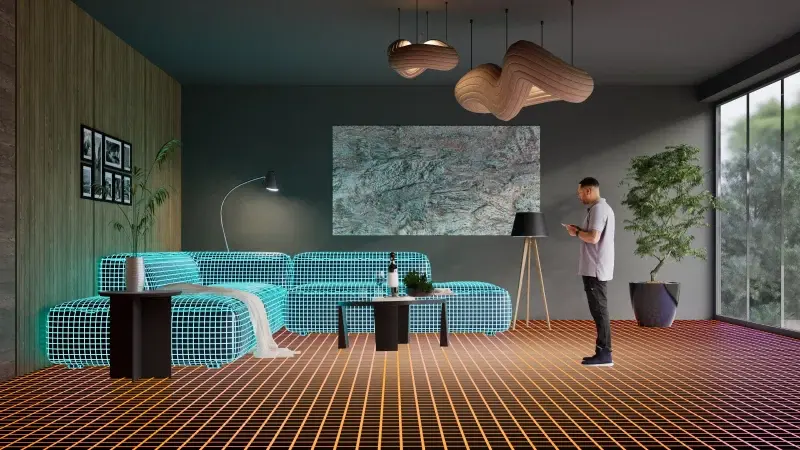
A virtual showroom for furniture is a branded digital space where shoppers see your products in a furnished room and interact with them: arrange and swap pieces, and change fabrics and finishes.
That context is what separates a showroom from a product page. Shoppers don’t just see a sofa; they see how it works with the rug, the coffee table, and the rest of the room.
A virtual showroom can take several forms: a 3D room in the browser, a photo of the shopper’s own interior with your furniture placed in it, a 360-degree tour of your physical store, or a VR experience.
Each of these formats and features shapes the final price. Fabric and finish switching needs 3D models with properly set-up materials. AI room visualization needs technology that reads a customer's photo and places your products at the right scale. The more of these your showroom includes, the more you invest in 3D content, setup, and software.
In this article, we break down what a virtual showroom actually costs: the main pricing models, what pushes the budget up or down, how custom development compares with SaaS, and what return you can expect.
Quick Answer
A virtual showroom can cost anywhere from around $135 a month on a SaaS platform to $500,000+ for a custom-built, AI-powered platform.
The final budget is rarely one number. It's usually a mix of:
- Software: a one-time custom build or a monthly SaaS subscription.
- One-time setup: onboarding, catalog setup, branding, and embedding the showroom on your site.
- 3D assets and materials: models of your products and digital versions of fabrics and finishes, usually priced per model.
- Environments: template room scenes or custom-designed interiors.
- Integrations: connections to your ecommerce platform, PIM, ERP, or CRM.
- Ongoing costs: hosting, support, software updates, and adding new products and scenes as your catalog changes.
What Affects the Cost of a Virtual Showroom for Furniture Stores?
1. Type of Virtual Showroom
- 3D virtual store in the browser. A fully 3D branded space, often a digital version of a flagship store, that shoppers explore on your website: they move from room to room, click products, and buy. Every room, fixture, and display is custom 3D design, so most of the budget goes into building the environment itself and making a large 3D scene load fast on a phone. Platforms like Obsess list pricing from $3,000 a month, plus the cost of creating the store.
- Designed 3D rooms. A gallery of ready-made interior scenes, such as a living room, a bedroom, or a dining area, where shoppers arrange and swap your furniture and change fabrics and finishes. The scenes can be templates rather than a custom-built store, so the environment costs less and the main investment is 3D models of your products. In Zolak Showroom, for example, shoppers arrange your furniture in ready-made room scenes, configure each piece, and buy the whole look as a set, right on your website.
- Your products in the shopper's own room. Shoppers take a photo or a phone scan of their room, and AI replaces their existing furniture with products from your catalog at the right scale. IKEA Kreativ made this format known with a scanner that erases existing furniture from the shopper's room. Built from scratch, it's the most expensive format: it needs computer vision on top of a full 3D catalog, and IKEA acquired an AI company to build it. On a SaaS platform like Zolak's AI room planner, that technology already exists, so your costs come down to the subscription and your 3D catalog.
- 360° tour of a physical showroom. A photographic walkthrough of your real store, captured with a 3D camera such as Matterport, with hotspots linking to product pages. It's the cheapest format to launch: you pay for a one-time scan and monthly hosting, with no 3D modeling. The trade-off: shoppers see the store exactly as it was on scan day. They can't change fabrics or rearrange pieces, and every new collection means a new scan.
- VR in your store. Shoppers put on a headset in your showroom and step into a room furnished with your products, changing materials and layouts with a sales consultant. Retailers like IKEA, Macy's, and Natuzzi have used in-store VR to show more products than fit on the floor. You pay for custom VR software, high-detail assets, headsets, and in-store setup and maintenance, and the experience reaches only people who visit your store.
2. 3D modeling & Environment design
- Number of SKUs. The more products you digitize, the higher the cost. But SKU count is only part of the picture: colors, materials, sizes, and modular combinations add work too. A sofa in three sizes and 40 fabrics needs well-built models and a material library, while a modular system needs every component modeled and tested in combination.
- Level of detail. Highly realistic models with intricate details, complex textures, and accurate material rendering require more time and skill from 3D designers, increasing costs.
- Existing assets. High-quality CAD or 3D files can reduce the amount of modeling needed. They still usually need optimization for web, material setup, and QA before they're showroom-ready. If you're starting from photos or drawings, 3D product modeling services can handle modeling, materials, and optimization in one step.
- Custom virtual environments. Template room scenes usually need less work than unique interiors. Custom rooms that match your brand or physical store, and interactive walkthroughs, add modeling, lighting, and testing time.
3. Platform & Software features
- Delivery platform. A web-based showroom is the most budget-friendly: one build runs in browsers on desktop and mobile. Native iOS and Android apps or VR versions each need separate development, app store releases, and device-specific testing.
- Product interaction. Material switching, configuration, product placement, and saving or exporting designs. Every interaction adds logic, and every rule adds QA: a material switcher is far simpler to build than a room planner where products snap, scale, and combine.
- Catalog and system integrations. Ecommerce platform, PIM, ERP, CRM, and inventory. The cost depends on how many systems you connect, how clean your product data is, and whether ready-made connectors exist or the integration has to be built from scratch.
- Content management and localization. A CMS lets your team add products, materials, and scenes without developers. Multiple languages, currencies, and user roles matter if you sell in several markets or have several teams updating the catalog.
- Performance, analytics, and security. Fast loading for heavy 3D files, tracking of product views and configurations, and GDPR-compliant handling of user data and room photos. On a custom build, each of these is a separate workstream; on SaaS, they're usually part of the platform.
4. Development team & Expertise
Who builds and runs your showroom shapes both the price and the timeline.
- Custom build. You hire or assemble the full team: 3D artists, front-end and WebGL developers, back-end developers for integrations, QA, and a project manager. Agencies cover everything but cost more; freelancers and in-house teams cost less but need internal coordination. Rates vary widely by region and seniority, especially for VR and AI specialists.
- SaaS platform. The engineering team belongs to the vendor, and its cost is spread across all customers through the subscription. On your side, you usually need a project owner and someone to add the embed code. You still pay separately for 3D content and any custom work beyond the platform's standard features.
The trade-off: a custom build gives you full control over features and code, while SaaS limits you to what the platform supports but saves you from carrying development and maintenance costs alone.
5. Hosting & Ongoing maintenance
-
Software upgrades. To stay compatible with browsers, OS updates, and new devices.
-
New product uploads. Ongoing addition and updating of 3D furniture models, textures, and materials to keep the virtual showroom current with new collections and seasonal changes.
-
Cloud hosting & CDN. Use of high-speed, scalable cloud services to support real-time interactivity and high traffic volumes.
Cost Breakdown: What You're Paying For
On a custom build, you pay for every component yourself. On a SaaS platform, most of them are covered by the subscription, and 3D content becomes your main variable cost.
| Component | What It Covers | Custom Build | SaaS Platform |
| 3D Modeling & Asset Creation | Product models, materials, and interior scenes | Paid separately, per model or per scene | Paid separately, unless included in your plan |
| UI/UX Design & Software Development | Interface, showroom navigation, and interactive features | Paid upfront as project work | Covered by the subscription |
| Platform Features & Integrations | VR or AI features, CMS, ecommerce integrations, and cross-device support | Each feature and integration is scoped and built separately | Standard features included by plan; integration with your website and other systems is usually a one-time setup cost |
| Project Management & QA | Coordination, testing, and bug fixing before launch | Part of the project budget | Handled by the vendor; onboarding may be billed as a setup fee |
| Hosting & Ongoing Maintenance | Cloud hosting, CDN, monitoring, updates for new devices and browsers | Your recurring cost, including developer time | Included in the subscription; new product uploads may be extra |
Virtual Showroom Cost Estimates: Custom Build vs. SaaS Pricing
Each format below can be built from scratch or bought as a ready-made platform, and the price gap between the two routes is wide.
A custom build means paying upfront for design, development, and testing, then covering hosting and updates yourself.
A SaaS platform spreads that cost across all its customers: you pay a subscription and get software that is already built, tested, and maintained.
The ranges cover the software only. 3D models, room scenes, and integration with your website are one-time costs on top, whichever route you choose. The 360° tour is the exception: there, the main cost is scanning your store, not the software.
| Showroom Type | Features | Use Case | Custom Development | SaaS / Service Pricing |
| 3D Virtual Store in the Browser | Branded 3D space, room-to-room navigation, clickable products, links to checkout | Brands that want a flagship-style digital experience for launches and campaigns | $50,000 – $200,000+ | Pricing on request (e.g., Obsess) |
| Designed 3D Rooms | Ready-made room scenes, product placement and swapping, material switching, room sets | Furniture retailers selling full rooms and sets online | $80,000 – $200,000+ | From $135/mo (e.g., Zolak Showroom) |
| Products in the Shopper's Own Room | Products placed in a photo or scan of the shopper's room, existing furniture removed, true-to-scale placement | Retailers whose shoppers hesitate over how furniture will look and fit at home | $250,000 – $500,000+ | From $525/mo (e.g., Zolak AI room planner, added to Showroom) |
| 360° Tour of a Physical Showroom | Photographic walkthrough of a real store, hotspots linking to products | Retailers with an existing showroom who want remote visits at low cost | $750-5,000+ per scan, one-time | Hosting from about $20/mo per space (e.g., Matterport) |
| VR in Your Store | Room design with a headset, material and layout changes with a consultant | Large stores that want to sell more than fits on the floor | $25,000-120,000+, plus headsets and in-store setup | Pricing on request (e.g., VISARD) |
Notes:
- Custom development pricing varies widely depending on the showroom's complexity, level of interactivity, number of products, and custom features. These ranges are based on typical developer rates and project scopes in 2026 and don't include 3D models.
- VR showrooms usually present a curated selection of products, which is why they can cost less to build than a web showroom covering your full catalog.
- SaaS prices show the lowest monthly total, including platform and module fees where they are billed separately. 3D content and setup are one-time costs on top, plans scale with traffic and catalog size, and annual billing often comes with a discount (15% on Zolak).
Virtual vs. Physical Showroom Costs: What Changes?
A virtual showroom doesn't just cost less to launch. It shifts where the money goes: from space, staff, and physical samples to 3D content and software.
| Cost Area | Physical Showroom | Virtual Showroom |
| Initial setup | Retail space, fit-out, fixtures, and physical samples | Platform setup, 3D assets, room scenes, and integrations |
| Ongoing costs | Rent, utilities, staff, and maintenance | Subscription or hosting, support, and content updates |
| Catalog updates | Replacing displays and producing new samples | Adding new 3D models, materials, and digital scenes |
| Customer access | Limited by location and opening hours | Available 24/7 on your website, on desktop and mobile |
| Sales use | Store visits and trade shows | Ecommerce, remote sales, and presentations for dealers |
For most furniture brands, it isn't either-or. A virtual showroom lets you show the full catalog online, while the physical space can focus on best-sellers and the products customers want to touch before buying.
What You Get for Your Investment
A virtual showroom pays off differently from a 3D product view. It sells rooms, not single items, so the return shows up in order value, conversion, and the cost of presenting your catalog.
- Higher order value from room sets. When shoppers see a sofa next to a matching coffee table, rug, and armchair, they're more likely to buy the set. In a study in the Journal of Business Research, shoppers in an immersive virtual store chose a wider variety of products and were less price-sensitive than those browsing 3D models on a regular screen. Platform data points the same way: Obsess reports that some of its clients see 20% higher average order value from virtual store traffic than from their regular ecommerce site.
- More confidence in size and fit. Research in the Journal of Interactive Marketing found that interactivity and spatial cues, such as seeing a product in a room, make a shopping experience more informative, and informativeness is what drives purchase intent. For furniture, that means fewer doubts about size, style, and how pieces work together.
- Sell more SKUs without more floor space. A physical showroom displays only part of your collection, and every new line means new samples. Crate & Barrel's virtual flagship, for example, presents more than 450 products across eight rooms, and updating a virtual showroom means adding new 3D models, not rebuilding displays.
-
More qualified leads, lower cost of sales. A showroom can do more than sell online. Crate & Barrel connects its virtual store to its Design Desk, where visitors book a free consultation with a designer. Sales teams and dealers can also use the same showroom in remote presentations, without shipping samples or traveling.
To measure the return, compare the conversion rate and average order value of shoppers who used the showroom with those who didn't, and track how many products they add per order.
Conclusion
Building a virtual showroom from scratch gives you full control, but you pay for it upfront: from $80,000+ for a 3D showroom to $500,000+ for a platform with AI room visualization, plus a team to keep it running.
A SaaS platform moves most of that cost into a subscription. You still invest in 3D content and setup, but you skip building and maintaining the software yourself, and your launch date depends mainly on how quickly your 3D assets are ready.
With Zolak, subscriptions start from $135/month for a virtual showroom. One-time setup is priced by scope: 3D models from $30 each, ready-made showroom scenes from $10 each, and integration with your website based on hours. You also get:
- One set of 3D assets for every experience. The same models power your 3D viewer, configurator, virtual showroom, and product renders.
- 3D content support. Upload your existing models or let Zolak create them from your product data.
- Flexible integration. Embed with a ready-to-use script on Shopify, Magento, WooCommerce, BigCommerce, and other platforms, or let Zolak's team handle the integration for you.
- No developer needed for updates. Add new products, materials, and scenes in Zolak CMS as your catalog changes.
See what a virtual showroom would cost for your catalog. Book a demo and get pricing based on your products and goals.